Google Chrome is continuously evolving, and one of its most useful interface improvements is the new Bottom Bar. By relocating key navigation controls closer to your thumb, the redesigned layout makes one-handed browsing much more comfortable on large smartphones.
Although Google has started rolling out a bottom address bar officially in recent versions of Chrome, some redesigned layouts and experimental navigation options are still hidden behind Chrome Flags. If you enjoy testing upcoming features before they’re publicly released, this guide will show you how to enable Chrome’s new Bottom Bar in just a few minutes.

Chrome Flags are experimental settings that let users test features still under development. These options aren’t enabled by default because they may be incomplete, unstable, or removed in future Chrome releases.
Since these features are experimental, they may behave differently depending on your Chrome version and Android device.
Enable the New Bottom Bar in Chrome
- Update Google Chrome to the latest version from the Google Play Store and launch it.9-
- Type chrome://flags into the address bar and press Enter.
- Tap the search box at the top.
- Search for Android Bottom Bar.
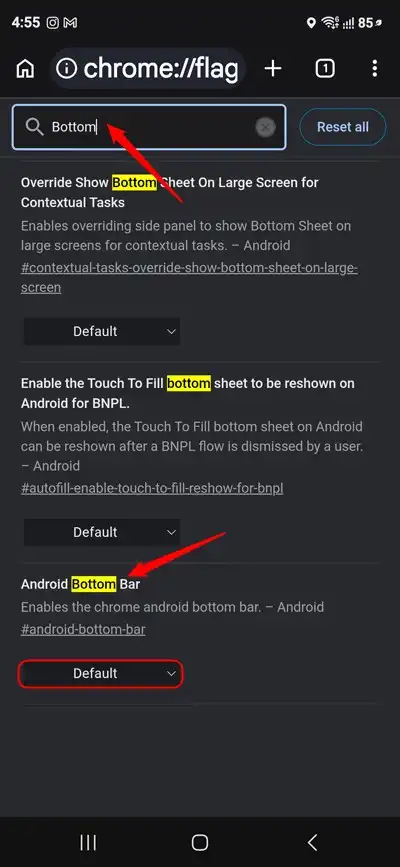
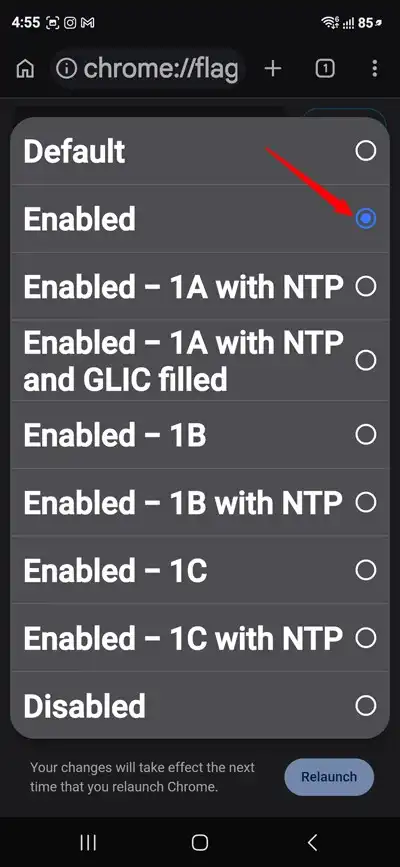
- When the flag appears, change its value from Default to Enabled.
- Tap Relaunch to restart Chrome.
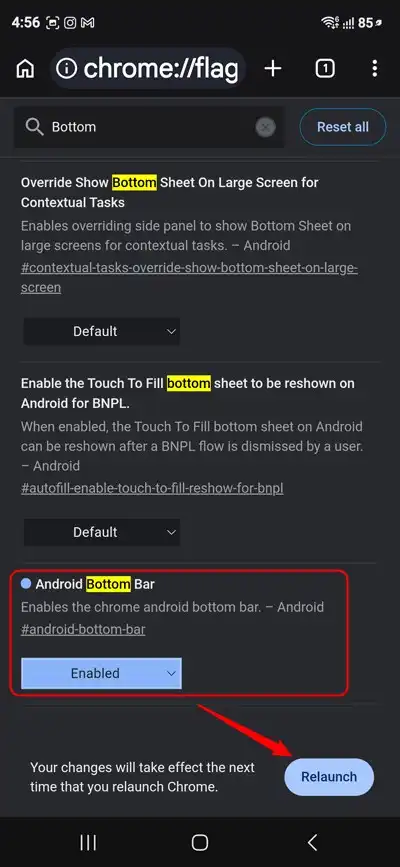
If the feature is available in your version of Chrome, you’ll see the redesigned bottom toolbar after the browser restarts. If you like such experimental surprises, don’t forget to check out the 21 Best Chrome Flags for Android.
Use Chrome’s Official Bottom Address Bar
If your device supports it, you don’t need to use experimental flags.
- Open Chrome.
- Tap the three-dot menu.
- Go to Settings > Address Bar and choose Bottom.
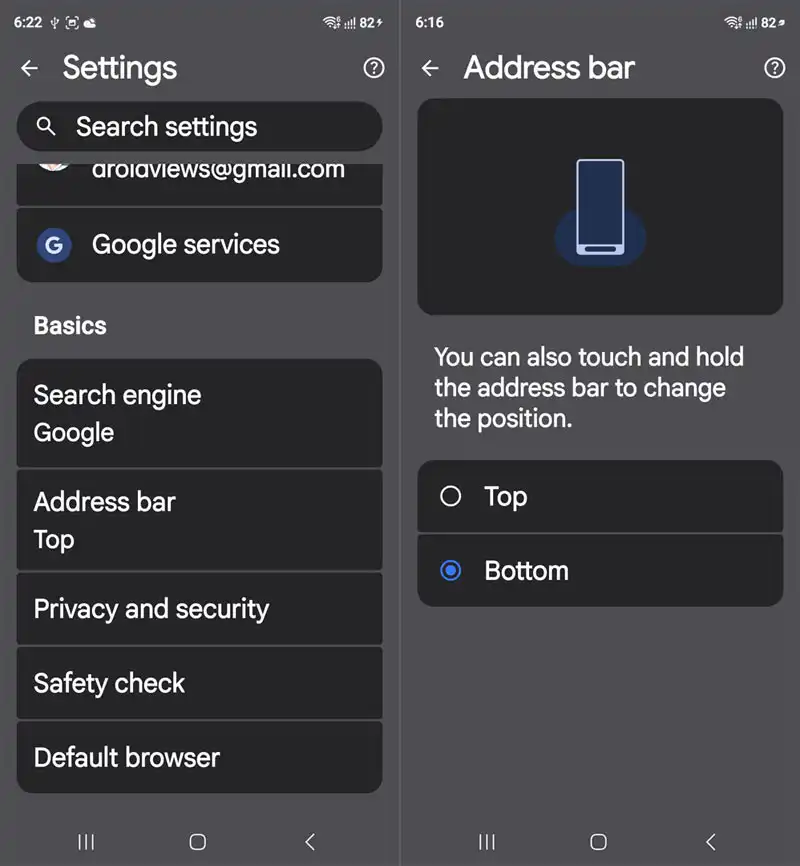
This is Google’s officially supported method and is generally more stable than using experimental flags.
How to Disable the Bottom Bar
If you prefer the traditional interface, simply return to chrome://flags, locate the same flag, change it back to Default or Disabled, and relaunch Chrome.
If you’re using the official feature instead, open Settings → Address Bar and select Top.
Frequently Asked Questions
Is enabling Chrome Flags safe?
Yes. Chrome Flags are built into the browser, but they are experimental and may occasionally cause instability.
Will every Android phone have this feature?
No. Availability depends on your Chrome version, device, and Google’s phased rollout.
Will the flag remain permanently?
No. Google frequently removes experimental flags once features become official or are discontinued.
The new Chrome Bottom Bar makes browsing on large Android phones more convenient by bringing navigation controls within easy reach. While Google is gradually rolling out this feature officially, Chrome Flags still offer an excellent way to preview upcoming interface changes. Just remember that experimental features can change or disappear without notice, so don’t be surprised if the flag is unavailable in future Chrome updates.